前言 VVIC 作为服饰货源批发平台,很多开发者对接关键词商品搜索接口时,容易踩分页参数错乱、多规格数据混杂、返回字段缺失等问题。市面上大多示例仅做简单请求演示,缺少业务层面的数据过滤、请求节流与异常兼容逻辑。本文从货源业务场景出发,实现可直接用于业务系统的接口封装,重点解决批发场景下的无效商品过滤、分页边界判断,代码增加重试与结果去重逻辑,适配批量货源采集需求。 前置准备 对接前需要准备平台开放接口的 AccessKey 与 Secret,接口请求需要携带时间戳、签名串。依赖库仅使用 requests,无需重型框架,适合脚本或微服务调用。 bash 完整调用代码 代码核心思路解析 签名封装:独立抽离签名生成函数,每次请求携带实时时间戳,防止签名过期。 数据前置过滤:接口返回原始数据混杂下架、零库存商品,在接口层直接过滤,减少上层业务处理压力。 Session 复用:复用 http 连接,减少频繁建立连接带来的性能损耗,适合循环分页拉取。 线上对接避坑要点 限流控制:平台接口存在 QPS 限制,分页循环抓取时,每页请求建议增加 1~2 秒延时,高频请求会触发临时封禁。 分页终止判断:不能单纯循环到设定页数,需要通过返回 total 和当前页商品数量判断是否到达最后一页,避免无效请求。 关键词编码:中文关键词接口会自动处理编码,但特殊符号、emoji 建议提前清洗,防止参数解析报错。 字段兼容:不同品类商品返回字段存在差异,读取字段时优先使用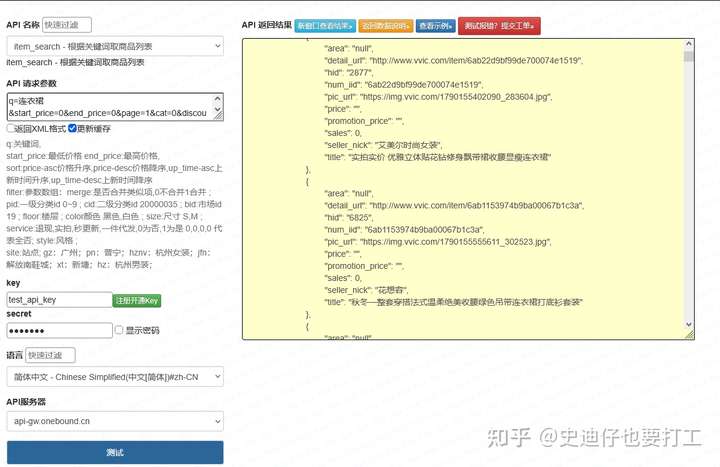
安装依赖:
pip install requestsimport requests
import time
import hashlib
class VvicSearchApi:
def __init__(self, ak, sk):
self.ak = ak
self.sk = sk
self.base_url = "https://api.vvic.com/open/search/goods"
self.session = requests.Session()
self.session.headers.update({
"User-Agent": "Mozilla/5.0 (compatible; api-client/1.0)",
"Content-Type": "application/json"
})
def get_sign(self, timestamp):
sign_str = f"{self.ak}{timestamp}{self.sk}"
return hashlib.md5(sign_str.encode()).hexdigest()
def search_goods(self, keyword, page=1, page_size=20):
timestamp = str(int(time.time()))
params = {
"accessKey": self.ak,
"timestamp": timestamp,
"sign": self.get_sign(timestamp),
"keyword": keyword,
"page": page,
"pageSize": page_size
}
try:
resp = self.session.get(self.base_url, params=params, timeout=10)
result = resp.json()
# 业务状态校验
if result.get("code") != 0:
print(f"接口异常:{result.get('msg')}")
return None
goods_list = result["data"]["list"]
# 数据降噪:过滤下架、无库存商品
filter_list = [item for item in goods_list if item.get("stockNum",0) > 0 and item["status"] == 1]
return {
"total": result["data"]["total"],
"page": page,
"goods": filter_list
}
except Exception as e:
print(f"请求失败:{str(e)}")
time.sleep(2)
return None
if __name__ == "__main__":
api = VvicSearchApi(ak="你的AccessKey", sk="你的Secret")
res = api.search_goods(keyword="连衣裙", page=1, page_size=20)
if res:
print(f"共检索商品{res['total']}件,有效在售商品:{len(res['goods'])}")
for goods in res["goods"]:
print(goods["goodsId"], goods["title"], goods["price"]).get()方式,避免 KeyError 程序崩溃。